
Booking widget
The pain it lands on
A service company’s site gets read when people have a moment: in the evening, at the weekend, between two jobs. That is exactly when the phone goes unanswered, and the only other option is a form promising that somebody will get back to them. They put it off until tomorrow, and tomorrow they no longer remember which company it was.
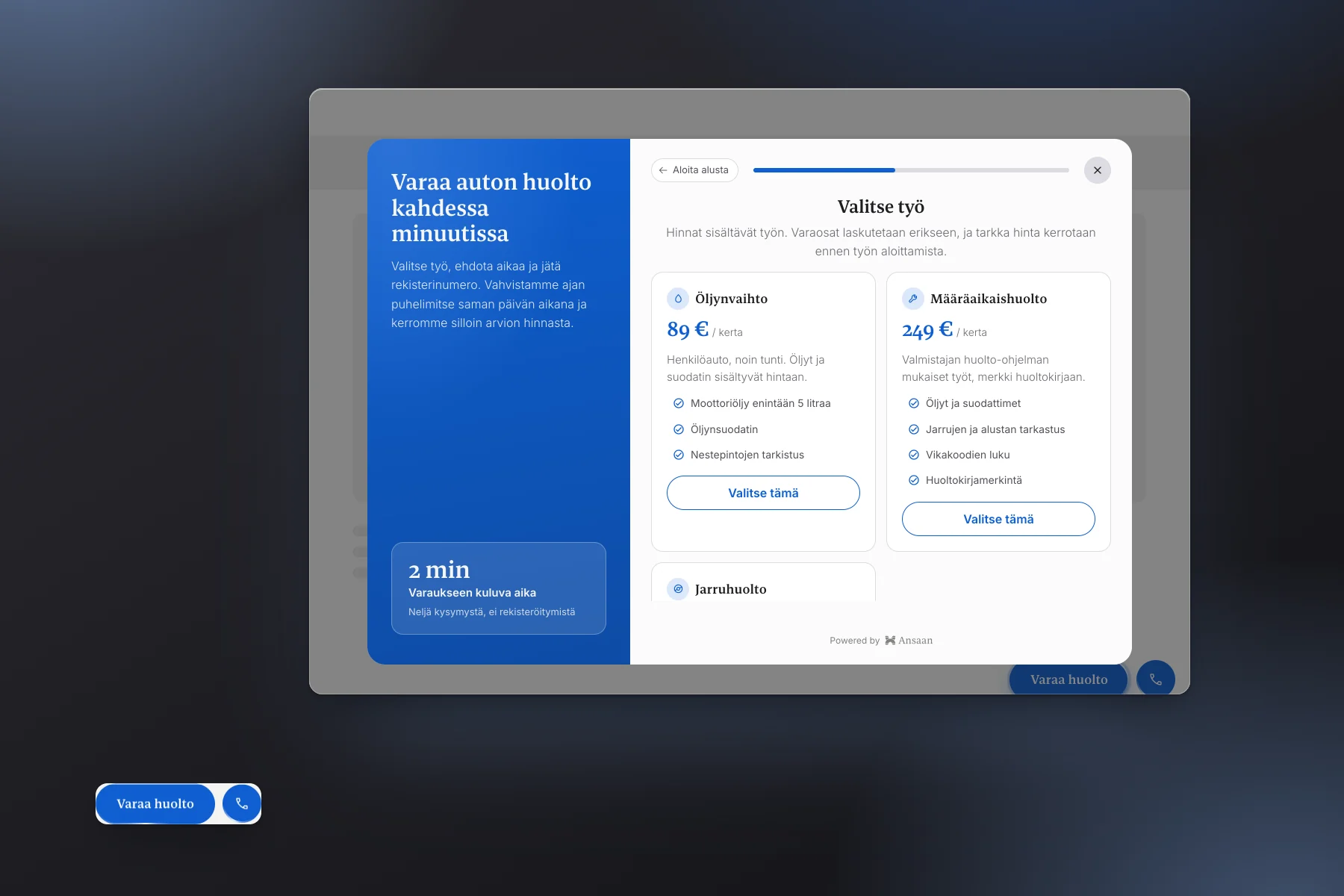
The booking widget takes them when they are ready. Two buttons in the corner: one opens a window with the prices and a calendar, the other offers the phone number to the people who are not going to type anything. Both end in the same place, for different people.
Why it produces leads
- Four routes, four different visitors One wants a price, one a time, one to talk to a person, and one has a question that fits none of those. A single contact form serves one of them.
- The price list is part of the booking Looking at prices does not take them off the path, it moves them along it: picking a service is already the first answer.
- A proposed time commits more than an enquiry Once they have chosen Wednesday at ten, the decision is made. The call is only a confirmation.
- The call button catches the ones who never type Some people will never fill in a form. The same button hands them the number in one press, and on a phone it dials.
- The lead arrives with the service and the time in it Not a name but what they are ordering and when. You call to confirm, not to find out.
- The buttons are on every page One line of code, and no page needs a booking form of its own.
How it works
- Two buttons wait in the corner The pill opens the window, the round one offers the phone. With a mouse the card opens on hover, on a phone with a press.
- The window asks where to start Prices, a time, a call or a question. The choice travels with the lead, so you see what brought them.
- Prices and calendar in the same window Choosing a service leads to the calendar, where they pick a day and a time of day. Weekends are left out.
- Contact details last Name and number, with a summary of their choices above them so they can see what they are ordering.
- A booking for you, a thank you for them The lead reaches your inbox and your dashboard with the service and the time. They are told the time is confirmed by phone.
The calendar proposes, it does not book
A calendar on a website does not know who is working on Wednesday, and it must not promise a slot that does not exist. So the visitor proposes a time and you confirm it. They are told so plainly, and nobody ends up waiting at the door for a visit that was never agreed.
If you run a booking system that actually knows what is free, the tool can be wired to it and show only those times. That is an integration, not another tool.
Where it belongs on your site
- On the whole site The buttons float in the corner and take no room from the page, so they can be everywhere rather than on the services page alone.
- In place of, or beside, the price page The prices are already in the window. Nobody has to visit a separate page and find their way back.
- On the page your ads land on The ad promises the service and the button reaches a booking in two presses. A paid visit should not end in a search for the contact page.