
Price calculator
Which sore point it hits
Price is the first question, and on most sites it is the only one that goes unanswered. A visitor reads the service description, finds no number, and goes looking for one elsewhere. A quote form does not help: it asks them to commit to a conversation before they know whether the answer is five thousand or twenty.
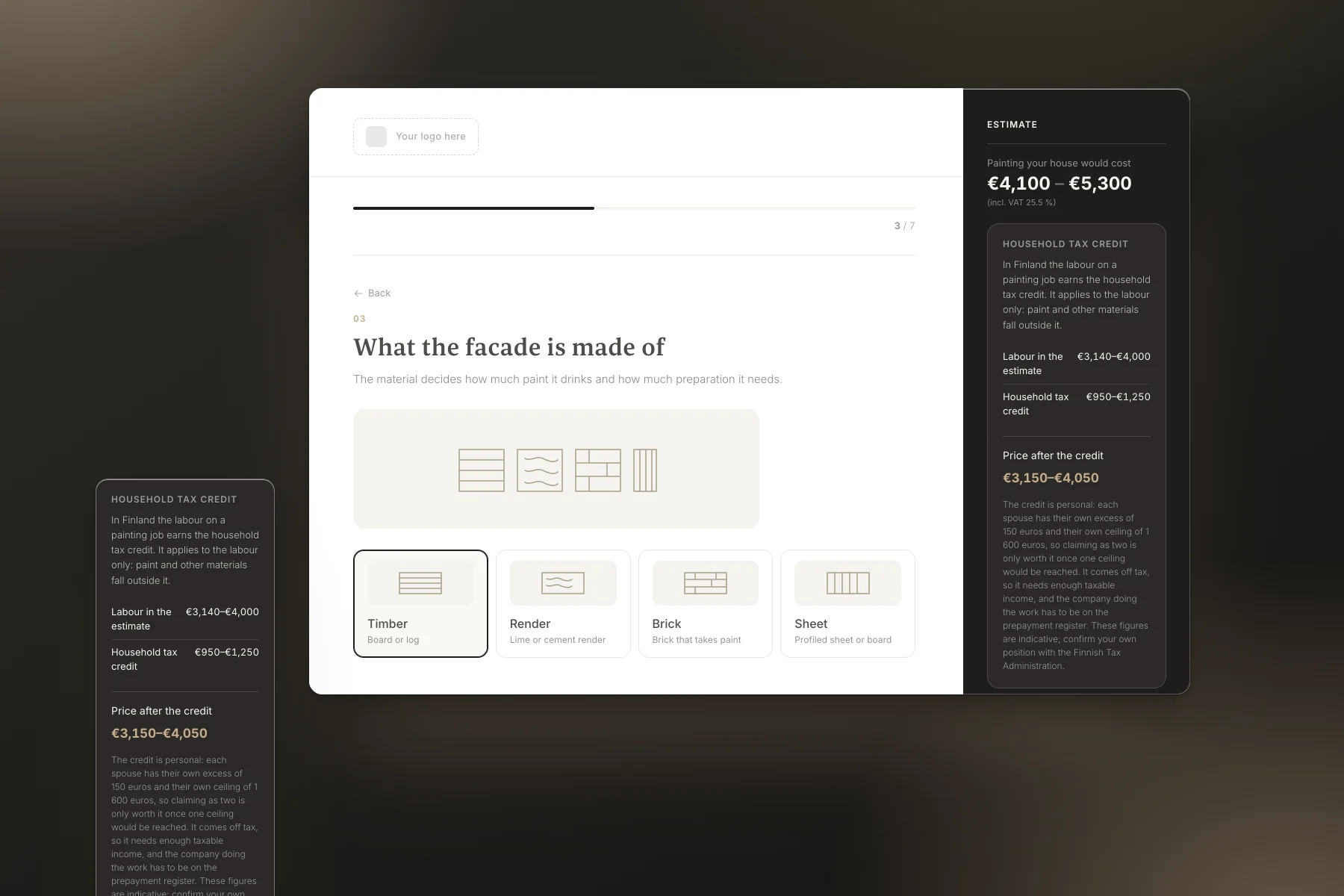
The calculator turns that around. They answer a few questions, get a range immediately, and see what it is made of. Only then are they asked for their details, and by that point they have worked out for themselves that the price suits them.
Why it produces leads
- It answers what people actually ask Price is what they came for. Given it themselves, they no longer have to ring to find out the order of magnitude.
- The lead already knows the price Someone who left their details has seen the figure and will not flinch at the quote. The pointless negotiations fall away.
- A breakdown builds trust With preparation, painting and scaffolding priced separately, the number stops being arbitrary and starts being reasoned.
- It tells you what they are buying Size, condition and the extras they picked come with the enquiry. You know what it is about before you call.
- A range protects you both It gives the order of magnitude without tying you to a figure for a building you have not seen.
- It works when you do not Someone weighing up the job in the evening gets an answer at once, and you get the lead in the morning.
- The leads land where you already work The tool can be wired into your CRM, so enquiries arrive in the system you run your sales from rather than in a mailbox where they get lost.
How it works
- They give a few facts Size, storeys, material and condition. No tape measure, no drawings.
- The calculator works out the rest It derives the paintable area from the footprint and shows what it inferred.
- The price appears and moves with it Every change updates the range and the breakdown at once.
- You receive the estimate and the details In your inbox, with everything they entered and every line of the price.
Where it belongs on your site
- On the pricing page Where they already went looking for a number. A pricing page without one is a disappointment; a pricing page with a calculator is an answer.
- At the end of the service page The description says what you do, the calculator says what it costs. Together they answer the whole question, and nobody leaves to find another company.
- On a landing page of its own “How much does it cost” is a search of its own and deserves an address of its own. Ads lead into the calculator rather than onto a home page it has to be found from.
Variations we have built
The same engine, another trade and other questions. These two were built for Nordrec Henkilöstöpalvelut and are on their way onto their site.
-
 Recruitment cost calculator
Asks for the headcount, the hours and the pay, then compares what hiring on your own costs with Nordrec’s price. The figure arrives by email only.
nordrec.fi -
 Staffing cost calculator
Works out what an employee costs on top of the wage at 2026 rates, shows the price of one worked hour and compares it with an agency’s rate.
nordrec.fi